
![for iPhone 6 Screen Replacement White Lcd - 4.7" Full Assembly Repair Kit Display Touch Digitizer Frame with [Front Camera] [Proximity Sensor] [Ear Speaker] [Repair Tools] [Manual Instructions]](https://images-na.ssl-images-amazon.com/images/I/51PEYM76%2BtL.jpg)
for iPhone 6 Screen Replacement White Lcd - 4.7" Full Assembly Repair Kit Display Touch Digitizer Frame with [Front Camera] [Proximity Sensor] [Ear Speaker] [Repair Tools] [Manual Instructions]
Product Description
for iPhone 6 Screen Replacement White Lcd - 4.7" Full Assembly Repair Kit Display Touch Digitizer Frame with [Front Camera] [Proximity Sensor] [Ear Speaker] [Repair Tools] [Manual Instructions]
- COMPATIBILITY: ONLY Compatile with iPhone 6 screen replacement white full assembly kit 4.7 inch (A1586,A1549,A1589),for AT T, Sprint, Verizon, T Mobile and other iPhone 6 carrier.
- QUALITY GUARANTEE: NO Risk to Purchase, 30 day unconditional return and 6 Months GUARANTEE for non human factors.All Screens are strictly QC double tested before shipping.
- EASY TO INSTALL: Follow our youtube install video,the transfer only takses least than 20 minutes, assembled with front camera, proximity sensor, earpiece speaker.Reduce human damage during installation,for you just need to transfer the home button from your old phone.
- APPLICATION SCENARIO: Use this it to replace damaged LCD. Such as Dead Pixels, Discoloration, Cracked glass, White, or Black , display Responding NOT Properly and so on.
- BONUS: Professional easy YouTube video installation guide and manual instructions with screen protector and repair tools set.
Compatible:iPhone 6 Screen replacement white full assembly kit
~Color: white
~Package Including:
~LCD touch display
~Digitizer assembly
~Bezel frame
~Front camera
~Ear speaker
~Front microphone
~Proximity sensor
~Light sensor
~9H hardness tempered glass
~Repair set
~1 x Philips screwdriver
~1 x 5 stars screwdriver
~2 x Pry Pick
~1 x Suction Cup
NO Risk to Purchase,30 day unconditional return and 6 Months GUARANTEE.
Professional YouTube video installation guide and PDF manual instructions.
Installation Tips:
1. Please watch the YouTube video guide before installation, or find the professional.
2. Make sure your Phone is powered off before starting the repair work.
3. Please mark every screws which all have different sizes and length when replace the assembly or the glass may be broken because of putting the screw in wrong place.
4. Be aware of the sensitive and frangible flex cables! DO NOT over bend or use excessive force to tear it. Please be patient and handle carefully.
Simple Troubleshoot
1. There are lines across the screen.
Solution:Â Remove the LCD screen and clean the connectors. Lines are normally because those flex cables are not well seated in or some dust in the connectors.Â
2. Screen won't turn on but all cables are connected well.
Solution:Â Reset the phone by holding both Power and Home button together pressed for min 15 sec.
3. Touch feedback lag or does not working properly.Â
Solution:Â The problems are caused to cables damage. Check all cables to find if there is any damage or crease on the flex cables.
4. The Proximity Sensor/Earpiece Speaker/Front Camera doesn't work.
Solution:Â Swap your original parts from your old iphone 6 screen to the new screen
Technical Specifications
You might also like

For iPhone 6 Digitizer Screen Replacement White - Ayake 4.7'' Full LCD Display Assembly with Home Button, Front Facing Camera, Earpiece Speaker Pre Assembled and Repair Tool Kits
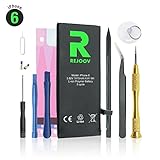
iPhone 6 Battery Replacement Kit with Complete Tools, Adhesive, and Instructions 1810mAh 0 Cycle - 1 Year Warranty

Afeax Compatible Full Screw Set Replacment with Bottom Pentalobe Screws for iPhone 6 Space Grey/Silver /Gold (iphone6 4.7inch)
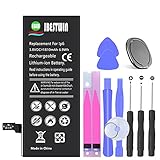
IBESTWIN Replacement Battery for iPhone 6 with Tool Kits Adhesive and Instruction, 1810mAh 0 Cycle -2 Years Warranty
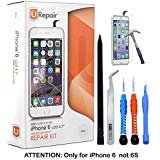
iPhone 6 Screen Replacement - White- LCD Premium Complete Repair Kit with Tools - Easy Manuals Videos and Instructions - ONLY FOR iPHONE 6 NOT 6S by uRepair

Johncase New OEM 8MP Autofocus Main Rear Back Camera Module Flex Cable Replacement Parts for iPhone 6 4.7" All Carriers

Replacement Screws for iPhone 6 4.7", Full Set with Bottom Silver & Gold Pentalobe Screws Included

White Glass Screen Digitizer Complete Full Assembly for iPad mini & mini 2 with IC Chip, Home Button, OEM Adhesive
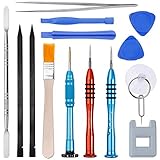
Vastar 16Pcs Cell Phone Repair Tool Kit for iPhone Precision Screwdriver Set with Magnetizer/Demagnetizer Tool & Opening Pry Tools for iPhone X/8/8 Plus, 7/7Plus,6P/6S/6/5S/5/5C/4S/4/SE,iPod,iTouch

iPhone 6 Screen Replacement - Black - LCD Premium Complete Repair Kit with Tools - Easy Manuals Videos and Instructions - ONLY FOR iPHONE 6 NOT 6S by uRepair