

VXSCAN TPMS Relearn Tool for GM EL-50448 Auto Tire Pressure Monitor System Sensor TPMS Reset Tool, Programming Training, OEC-T5, for GM Series Vehicle 2010-2018
Product Description
VXSCAN TPMS Relearn Tool for GM EL-50448 Auto Tire Pressure Monitor System Sensor TPMS Reset Tool, Programming Training, OEC-T5, for GM Series Vehicle 2010-2018
- ?[FITMENT] TPMS reset tool compatible for GM most kind of vehicles, equipped with a 315 or 433 MHz Tire Pressure Monitoring (TPM) system. This relearn procedure can be performed by using special tool EL-50448.
- ?[Wide Vehicle Coverage] TPMS reset activation tool works on most of General Vehicles (compatible for Buick, compatible for Cadillac, compatible for Chevrolet, compatible for GMC) products manufactured for the North American market. ★Please Note: It won't work if you've purchased aftermarket sensors that are the wrong frequency.
- ?[Simple & Inexpensive & Fast] This relearn tool works great save your time. It only took a few minutes & with 3 steps to reset all four wheels. Much better than going to the dealer or a tire store just to get your pressure sensors reset.
- ?[Using Tips] Please ensure that the vehicle is in the TPMS Learn Mode, and follow the service procedure. Hold tool against the sidewall of the tire, near the valve stem. Depress Learn button while holding the tool against the tire sidewall.
- ?[Please Note Note] EL-50448 TPMS relearn tool compatible for GM Series Vehicle 2010-2018. Please confirm in the last picture whether your vehicle can work on EL50448. If you have any problem, please feel free contact to us, we are here and ready to help you with EL50448.
â–²About VXSCAN El50448 Tire Pressure Monitor Sensor TPMS Activation Tool OEC-T5
The tire pressure sensor on models in & after 2012 can be read, only with some specified diagnostic tools.
Before tire pressure monitoring system works normally properly, the body control module will record ID information of each position in the tire pressure sensor; and use the following methods to read the tire pressure sensor after replacing a tire or wheel speed sensor.
â–²How to use EL50448 TPMS Activation Tool?
Please refer to the specific methods as follows:
â—ŽStep 1 - Enter leaning mode
Set the gearshift lever to "P"
Put the ignition switch to "ON"
Enter the interface of tire pressure display by DIC
DIC shows "Press Set / Ctrl to re-learn"
Press "Set / Ctrl"
The turn signal is lighted for 3 seconds and the horn beep sound twice to enter the learning mode
â—ŽStep 2 - Read tire pressure sensor information
Start from the front-left wheel
Make the J-46079 or Diagnostic Tool EL-50448 antenna up against the valve core position & close to the rim of the tire sidewall
El-50448 tire pressure tool starts by the start switch
Successful to read the tire pressure sensor information when the horn bleeps once
â—ŽStep 3 - Same method to read other tire pressure information
Follow the instuction above to read tire pussure of the front-right, rear-right, rear-left wheels.
Turn signals is lighted for 3 seconds and the horn bleeps twice when the learning is complete.
Technical Specifications
You might also like

OEMTOOLS 87021 No-Spill Oil Funnel (GM and BMW), 1 Pack

BOLT 7023582 5/8" Receiver Lock for Chevrolet, GMC, Buick and Cadillac Center Cut Keys
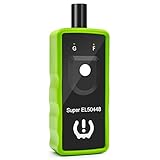
2IN1 TPMS Relearn Tool Super EL50448 for GM and Ford Tire Pressure Monitor Sensor TPMS Reset Tool 2019 Edition

VXSCAN El50448 Auto Tire Pressure Monitor Sensor Relearn TPMS Reset Tool OEC-T5 for GM Series Vehicle 2010-2018

ABN Brake Lining Thickness SAE & Metric Gauge 8 Piece Tool Set
ROADFAR Tire Pressure Monitoring System Sensor (TPMS) Fits for Buick Cadillac Chevrolet GMC Pontiac Sets of 4 315MHz
ACDelco 13598771 GM Original Equipment Tire Pressure Monitoring System (TPMS) Sensor

Chemical Guys HOL169 16-Piece Arsenal Builder Wash Kit with TORQ Foam Cannon, Bucket and (6) 16 oz Care Products (Gift for Car & Truck Lovers, Dads and DIYers)
Auto Ventshade 94536 Original Ventvisor Side Window Deflector Dark Smoke, 4-Piece Set for 2014-2018 Silverado & Sierra 1500 Crew Cab | Also fits 2015-2018 Silverado & Sierra 2500HD-3500HD Crew Cab