

Uniwork Remanufactured Replacement for 273XL Ink Cartridges Replacement for Epson 273 XL Use for XP820 XP810 XP800 XP620 XP610 XP600 XP520 (2 Black, 1 Photo Black, 1 Cyan, 1 Magenta, 1 Yellow) 6 Pack
Product Description
Uniwork Remanufactured Replacement for 273XL Ink Cartridges Replacement for Epson 273 XL Use for XP820 XP810 XP800 XP620 XP610 XP600 XP520 (2 Black, 1 Photo Black, 1 Cyan, 1 Magenta, 1 Yellow) 6 Pack
- Compatible Printer: Compatible with XP-520 XP-600 XP-610 XP-620 XP-800 XP-810 XP-820 Printer
- Uniwork 6 Pack Remanufactured Ink Cartridge replacement for Epson 273XL Ink Cartridges Combo Pack High Yield
- Page Yield: 500 pages per black ink cartridge; 650 pages per color ink cartridge; 400 pages per photo black ink cartridge (Letter/A4, at 5% coverage)
- Package Contents: 2 Black Ink Cartridges, 1 Photo Black Ink Cartridge, 1 Cyan Ink Cartridge, 1 Magenta Ink Cartridge, 1 Yellow Ink Cartridge, total 6 Pack replacement for epson 273XL ink cartridges
- Uniwork remanufactured ink cartridges replacement for epson 273 ink cartridge produce brilliant colors and sharp black prints
Product Main Features:Black cartridge will yield approximately 500 pages.Color cartridge will yield approximately 650 pages.Photo Black cartridge will yield approximately 400 pages.Chips:Latest updated chips with advancing technologies show accurate ink levels. (this is NON-OEM.)Ink Quality:Same size and quality as OEM ensure vivid color and natural looking images.Product Packaging:All ink cartridges are packed individually to reduce the damage cost by transportation.Uniwork Advantages:Eco-friendly:
Products are produced by implementing ISO14001 environment management systems and have passed ISO9001, CE and other international certifications.Reliability:Our Quality Management System (QMS) strive to ensure compatibility and reliability.Customer Service:We provide 1-Year Refund or Replacement for any quality issue. Contact us by clicking "Uniwork" below price.
Warm Tips: 1. Please confirm your Printer Model before placing an order. 2. When installing these cartridges, you might get a message saying that the cartridge is a "non-genuine". Follow your printer's prompts press "OK" or "continue" to bypass the message.3. To improve the printing quality, it's better to clean the printhead (in Printer Properties) before printing with a new cartridge.
Technical Specifications
You might also like

Printhead Cleaner for Epson Expression Premium XP500 XP600 XP700 XP800 XP900 Series Printers - 5oz 150ml
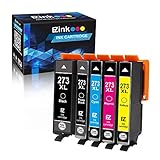
E-Z Ink (TM) Remanufactured Ink Cartridge Replacement for Epson 273XL 273 XL T273XL to use with Expression XP520 XP820 XP620 XP610 XP800 XP810(1 Black 1 Cyan 1 Magenta 1 Yellow 1 Photo Black) 5 Pack

Epson T273XL020 Claria Premium High Capacity Cartridge Ink Black

LD Remanufactured Ink Cartridge Replacements for Epson 273XL High Yield (1 Black, 1 Cyan, 1 Magenta, 1 Yellow, 1 Photo Black, 5-Pack)

LD Products Remanufactured Ink Cartridge Replacement for Epson T273XL320 ( Magenta )
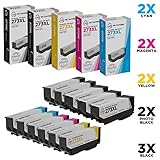
LD Remanufactured Ink Cartridge Replacements for Epson 273XL High Yield (3 Black, 2 Cyan, 2 Magenta, 2 Yellow, 2 Photo Black, 11-Pack)

Uniwork Remanufactured Ink Cartridge Replacement for Epson 273XL 273 XL T273XL use for XP820 XP810 XP800 XP620 XP610 XP600 XP520 Printer (1 Black, 1 Photo Black, 1 Cyan, 1 Magenta, 1 Yellow), 5 Pack

Epson T273XL-BCS Claria Cartridge Ink, 5 Pack
Finish Quantum Dishwasher Detergent Powerball, Ultimate Clean & Shine Dishwashing Tablets, 68 Count