

Tera Grand - Premium Mini DisplayPort / Thunderbolt to VGA Adapter Cable for Apple MacBook, MacBook Pro, MacBook Air, iMac, Mac mini, Mac Pro, and Microsoft Surface Pro - High Quality ABS Plastic Housing with Recessed Connector - in Retail Packaging
Product Description
Tera Grand - Premium Mini DisplayPort / Thunderbolt to VGA Adapter Cable for Apple MacBook, MacBook Pro, MacBook Air, iMac, Mac mini, Mac Pro, and Microsoft Surface Pro - High Quality ABS Plastic Housing with Recessed Connector - in Retail Packaging
- Make sure you are using the latest Apple OS. Please check and download the latest Apple OS from the Apple web site.|Download "Mini DisplayPort to VGA Firmware Update v1.0" from the Apple Support web site. You can search it on Google and find the link to download. This firmware update addresses intermittent flickering and compatibility issues such as no video on some external displays when using the Mini DisplayPort to VGA Adapter on your Mini DisplayPort or Thunderbolt enabled Mac.|Make sure you are using a high quality Super VGA cable not a standard VGA cable.|Support VGA resolutions up to 1920x1200@60Hz. |Connect your MacBook Pro MacBook Air iMac or other devices with Mini DisplayPort / Thunderbolt 2 connector to a monitor or projector with VGA input. (A VGA cable is required)|Gold-plated connector provides superior transmission high reliability and durability.|Carry a digital video signal from your computer to a monitor for video streaming or gaming.|All relevant materials are complied with RoHS directive.
This Mini DisplayPort to VGA Adapter lets you connect a standard VGA monitor, projector, or LCD to Apple MacBook, MacBook Pro, MacBook Air, iMac, Mac Mini, Mac Pro and Microsoft surface Pro with a Mini DisplayPort. You can use an external display as your main workspace or to extend your desktop, Also you can work in mirrored mode with a projector so you can view on your screen what your audience sees.
*** Video Setup Instruction for MacBook *** In System Preferences, select Displays. Click the Arrangement tab. Check Mirror Display option.
Our product uses the same chipset as Apple's Mini DisplayPort to VGA Adapter Cable found at the Apple store. If our cable isn't working properly with your device, please try the following solutions:
Make sure you are using the latest Apple OS. Please check and download the latest Apple OS from the Apple web site. Download "Mini DisplayPort to VGA Firmware Update v1.0" from the Apple Support web site. You can search it on Google and find the link to download. This firmware update addresses intermittent flickering and compatibility issues such as no video on some external displays when using the Mini DisplayPort to VGA Adapter on your Mini DisplayPort or Thunderbolt enabled Mac.
Make sure you are using a high quality Super VGA cable, not a standard VGA cable.
** For MacBook Pro (Mid 2012) and MacBook Air (Mid 2012) users:
Please download the software update: "MacBook Pro (Mid 2012) Software Update 1.0" , "MacBook Air (Mid 2012) Software Update 1.0" from Apple Support web site. These updates fix external display support.
This Mini DisplayPort to VGA Adapter is also compatible with other non-Apple notebooks with Mini DisplayPort, such as Microsoft Surface Pro for Windows 8, HP Envy 14/17, Dell XPS 14/15/17, Lenovo ThinkPad notebooks with Mini DisplayPort.
Technical Specifications
You might also like
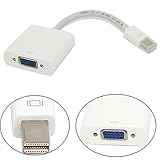
6 Feet Mini DisplayPort Male to VGA Male Cable for MacBook, MacBook Pro, MacBook Air or devices utilizing mini Displayport

Cable Matters Gold Plated VGA Monitor Cable with Ferrites 6 Feet, Bare Copper

EALLC Mini Displayport To VGA Adapter for Apple MacBook MacBook Air MacBook Pro 13 inch, MacBook Pro 15 inch MacBook Pro 17 inch Apple Mac Mac Pro Mac Mini, iMac Xserve Toshiba Satellite Pro S500, Tecra M11, A11 and S11 notebooks;

AmazonBasics Mini DisplayPort (Thunderbolt) to HDMI Adapter
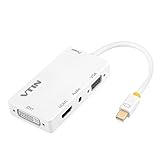
Vtin 4-in-1 Mini Display Port to VGA/HDMI/DVI/Audio with Micro USB Port Adapter for Apple iMac/Laptop (VS-VVC3-1)

DinoFire Wireless Presenter, RF 2.4GHz PowerPoint Clicker Presentation Remote (Black)

Ugreen VGA/SVGA HD15 Male to Male Video Coaxial Monitor Cable with Ferrite Cores Gold Plated Compatible for Projectors, HDTVs, Displays, 3ft/1m

Kensington Combination Portable Cable Lock for Laptops and Other Devices - Black (K64670AM)

Acer S220HQL Abd 21.5-Inch Widescreen LCD Monitor