

SUKER 3 in 1 SD/ Micro SD Card Reader with Type-C/ USB 2.0/ Micro USB Plug & OTG Fuction for PC Cell Phone New MacBook (Black)
Product Description
SUKER 3 in 1 SD/ Micro SD Card Reader with Type-C/ USB 2.0/ Micro USB Plug & OTG Fuction for PC Cell Phone New MacBook (Black)
- DESIGN: This versatile card reader have a SD and a Micro SD slots , and also have a High speed USB 2.0 (Compatible with USB 2.0 / 1.1 / 1.0) & a Type-C connector & a Micro USB connector ; Also with the OTG function
- APPLICATION: Can transfer files from memory cards to PCs, notebooks, laptop,tablet , smartphones with OTG function,Macbook or some other devices that has a USB or TYPE-C Port ; Operating system: Windows 2000/XP/Vista(SP2)/7(SP1)/8/8.1/10(32/64-bit), Mac OS X 10.8.x and later, Android 4.0 and later, Chrome OS. Plug and Play
- PORTABLE: This Card Reader is handy and portable, you can take it anywhere ;Allows to be used as SD/microSD card reader for direct data exchange and do not need any camera software to support; Well worth it if you need to move files around quickly
- COMPATIBILITY: Support Micro SD, SDHC, SDXC card up to 64GB ; Support Samsung Galaxy Note, Samsung Galaxy S7/S7E/S6/S6E(+)/Alpha/S5/S4 (Not For?Samsung Galaxy S3/S5 mini/S4 mini),Samsung Galaxy Tab pro,?Samsung Galaxy Tab S/S2 Samsung Galaxy Tab 3 10.1, 8.0 (NOT FOR 7.0) ,Samsung Galaxy Tab 4 10.1 (NOT FOR 7.0) , LG G4/3/2/1, G Pro 1/2, Galaxy Nexus, Nokia N8 etc.
- NOTE:1. Make certain your phone supports USB OTG (On The Go) technology 2.Please enable OTG storage function in Phone's setting menu! 3.Never use both connections simultaneously. 4.Please insert SD or TF card firt before connection
Specification:
Size: 75*22*12mm
Material: Aluminum+ABS
Weight: 30 g
USB port: 1*USB 2.0 , 1* USB Type-C , 1*Micro USB
How to Change:
1.How to make this unit turn from USB-A to Micro-USB?
Press blue grooves with you finger or something sharp,then pull out untill Micro-USB is completely out.
2.How to make this unit turn from Micro-USB to USB-A?
Press blue grooves with you finger or something sharp,then pull into untill Micro-USB is completely hide.
NOTE:
1. Make certain your phone supports USB OTG (On The Go) technology
2.Please enable OTG storage function in Phone's setting menu!
3.Never use both connections simultaneously.
4.Please insert SD or TF card firt before connection
Support Device:
Macbook(USB Type C)/Chromebook/Windows system
Micro USB OTG Supported Devices:
HTC Butterfly, HTC Butterfly S, HTC New One, HTC One X?,Samsung GALAXY NOTE (GT-N7000), Samsung Note 8, GALAXY S2, GALAXY S3, GALAXY S4, Samsung MAGA 6"3?,SONY XPERIA S (LT26i), SONY XPERIA Z (C6602), SONY Xperia TX LT29i
More other Micro USB OTG supported devices please refer to the instruction of your phone.
Compatible with TF and SD cards:
Micro SD/ MICRO SDHC / Micro SDXC /SD / SDHC/ SDXC/ MMCII/ RSMMC
Technical Specifications
You might also like

BasAcc Micro USB 2-in-1 OTG / Micro SD Memory Stick Card Reader Flash Drive Adapter For Samsung Galaxy S6 / S6 Edge S5 S4 S3 S2, Note 4 3 2, Tab S 4 3 2 and More Android Smartphones, Tablets from HTC, LG, Sony, Motorola, Nokia and More - Black
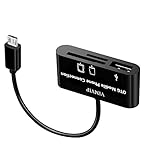
VIMVIP 3 in 1 Micro USB OTG Host Adapter SD Card Reader for Samsung Galaxy S4 S2 S3 Note 2 Tablet

SanDisk 8GB Class 4 SDHC Memory Card, 2 Pack, Frustration-Free Packaging- SDSDB2-008G-AFFP (Label May Change)

Micro USB OTG to USB 2.0 Adapter; SD/Micro SD Card Reader With Standard USB Male & Micro USB Male Connector for Smartphones/Tablets With OTG Function

SanDisk Ultra 64GB microSDXC UHS-I Card with Adapter, Grey/Red, Standard Packaging (SDSQUNC-064G-GN6MA)