

Dell Venue 8 7000 7840 Screen Protector, Rerii Tempered Glass Screen Protector for Dell Venue 8 7840 7000, High Definition, 9H Hardness, 0.3mm Thickness, Delicate Touch, Real Glass Screen Protector
Product Description
Dell Venue 8 7000 7840 Screen Protector, Rerii Tempered Glass Screen Protector for Dell Venue 8 7840 7000, High Definition, 9H Hardness, 0.3mm Thickness, Delicate Touch, Real Glass Screen Protector
- The tempered glass screen protectors are precisely cut to fit Dell Venue 8 7000 7840, it can protect your Garmin watch from potential damage and or screen cracks
- Long-lasting protection from scratches and bubble free, measures 0.3mm in thickness for maximum screen cover for your Dell Venue 8 7000 7840
- Extreme clarity and touch functionality with 9H hardness tempered glass screen protector,it makes the installation easy and is more sensitive for operation
- The oleophobic coating can prevent fingerprints or other stains and make your temperd glass screen protector easy to clean
- Package Includes: 1 X tempered glass for Dell Venue 8 7000 7840,1 X Dust absorber,1 X Alcohol Cleaning Pad,1 X Rerii Installation Guide Card
Rerii Dell Venue 8 Screen Protector, Tempered Glass
Features:
* If you want to protect your Dell Venue 8, then the the tempered glass screen protector is a must
* The quality of this screen protector is really nice,the glass edges around the top is beveled to make snagging less prone and smooth to the touch The cut of the Dell Venue 8 screen protector fits perfectly and you can't feel or see the difference,It's a perfect circle and fits exactly on Dell Venue 8 7000, 7840
* The Dell Venue 8 tempered glass screen protector doesn't effect the sensitivity of the touch screen, which's very clear and fits well, and looks like it came with the watch,it also adds a little bit of glare in certain conditions
* The Dell Venue 8 screen protector is quite easy to apply. Just clean your Dell Venue 8 screen well with water and rubbing alcohol and stick it on. Then,take a piece of scotch tape and clean off as much dust as possible off the surface, Finally, peel protective back,align the edge,and it will self-adhere to your screen. Use microfiber cloth to secure screen and remove any tiny bubbles if any
* The Dell Venue 8 screen protector still looks new with no scratches or blemishes after several weeks of use
Package Content:
This Dell Venue 8 screen protector came nicely packaged with a myriad of materials to ensure no dust would get behind the screen
Rerii includes everything necessary for a successful installation
Dell Venue 8 Tempered Glass Screen x 1
Screen wipe x 1
Dust removal sticker x 1
Guide sticker x 1
Follow the instructions (despite the directions being for a phone, same principle) and take your time. You'll be extremely happy with the fit and feel of the protector
Rerii Service:
Please just give us a note or message if there is any issue, we will try our best to resolve it for you
Technical Specifications
You might also like

ProCase SlimSnug Case for Dell Venue 8 7000 7840 Android Tablet, Ultra Slim and light, Hard Shell Cover, with Stand, Exclusive for New Venue 8 7000 7840 Tablet V7840 (Black)

Dell Venue 8 7000 Android Tablet (16GB)

Dell Venue 8 32 GB Tablet (Android)

[3-Pack] Supershieldz- High Definition (HD) Clear Screen Protector For Dell Venue 8 + Lifetime Replacements Warranty [3-PACK] - Retail Packaging
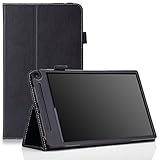
MoKo Dell Venue 8 7840 & Venue 8 7000 Case - Slim Folding Cover Case for Dell Venue 8 7840 & Venue 8 7000 8.4 inch Android 4.4 KitKat 2015 Version Tablet, BLACK

Bear Motion Sleeve for DELL Venue 8 7840 / 7000 Series - PU Sleeve Case for DELL Venue 8 7840 (2015 Version) - Brown

Skinomi TechSkin - Dell Venue 8 7000 / 7840 Screen Protector + Carbon Fiber Full Body Skin/ Front & Back Wrap / Premium HD Clear Film / Invisible & Anti Bubble Shield
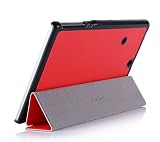
ProCase SlimSnug Case for Dell Venue 8 7000 7840 Android Tablet, Ultra Slim and light, Hard Shell Cover, with Stand, Exclusive for New Venue 8 7000 7840 Tablet V7840 (Red)

Dell Venue 8 Screen Protector, (7000 7840) AnoKe(0.3mm 9H) Best Tempered Glass Screen Protector Film Shield Guard For Dell Venue 8 7000 7840, Dell 7000 Glass