

Remote Control for Dish Network Upgraded 54 Series 54.0 54.1 54.2 54.3 UHF
Product Description
Remote Control for Dish Network Upgraded 54 Series 54.0 54.1 54.2 54.3 UHF
- ✅【Voice Search Function】WDZP replacement voice remote control compatible with Dish Network Upgraded 54 Series 54.0 54.1 54.2 54.3 UHF for The Hopper. Built-in microphone supports voice search — find your shows faster, no more typing with arrow keys.
- 【Noted】Turn On Your Remote: 1) Open the front panel of your receiver, and press the [SYS INFO] button. 2) Press the [SAT] button on the side of the remote control. You will hear three beeps from the remote control, indicating it has paired with your receiver
- 【Easy Pairing】Add 2 * 1.5V AAA Batteries (not included). 1) Press the [Home] button twice. 2) Select Settings, then Remote Control. 3) Select TV, and then TV Pairing Wizard. 5) Follow the prompts. 6) You can also pair your remote with an Auxiliary Device, such as a player or stereo
- 【Unpairing method】① Press and hold the SAT button on the side of the remote control. After 3 seconds, the indicator light flashes. Release the keys. ② Press and hold the "Home" button and "Guide" at the same time, after 3 seconds, the buzzer will beep three times. Release the keys.
- 【Lifetime Warranty & Exceptional Service】Doesn't match your equipment? Quality problem? Don't worry!! We offer 6-MONTH warranty, free exchange or refund))
Technical Specifications
You might also like

Browning Upland Dove Vest, Realtree Xtra, Large

What I Saw and How I Lied
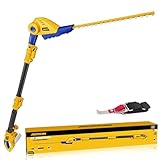
Cordless Pole Hedge Trimmer for Dewalt 20V Max Battery,16'' Dual Action Blades,8-Feet Reach,Electric Hedge Trimmer with Extension Pole,Bare Tool Only
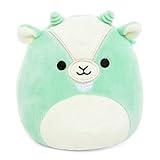
Squishmallows Kelly Toys Palmer The 12" Mint Goat Super Soft Stuffed Plush Toy Pillow

Non Flow-Thru Console Cup Holder for 2016-22 Ford F150 F250 F350 F450 F550

Romania during World War I: Observations of an American Journalist

Never Too Late: Your Guide to Safer Sex after 60 (A Johns Hopkins Press Health Book)

2 Pack Silicone Powder Cleanser Lids, Compatible with Bar Keepers Friend, Comet, Ajax Powder Cleanser (12 oz & 21oz), Bonami 14oz, Moisture Resistance, Cleanser Accessory to Keep Powder Dry