

REDGO 6Ft HDMI to DVI-D 24+1 Pin Monitor Display Adapter Cable ,HDMI Male to DVI Male Gold HD HDTV
Product Description
REDGO 6Ft HDMI to DVI-D 24+1 Pin Monitor Display Adapter Cable ,HDMI Male to DVI Male Gold HD HDTV
- 【Warm Note】 DVI-D output to HDMI input. NOT DVI-I (Please see image 2 before placing order).The cable lets you connect an HDMI enabled output device to a DVI D display or a DVI D output device to an HDMI capable display.
- 【High Quality Connectors & Superior Conductivity】 Gold-plated connectors for Superior Conductivity.The cable delivers a superior signal thanks to its durable PVC outer layer, shielding, and corrosion-resistant gold-plated connectors (HDMI A Male to DVI 24+1 Male).
- 【Cable & Adapter in One】 Connect a DVI D monitor or display to an HDMI equipped computer (or an HDMI monitor to a DVI D device) over a 6 ft distance, helping to reduce cord clutter and keep your cable installation tidy.
- 【Ideal for】 Ideal for device-to-HDTV gaming, home-theater entertainment, and more.
- 【Ultimate Compatible】 The cable will even connect HDMI-equipped devices like Blu-Ray, PS, Xbox 360, Nintendo Switch, Computer, Tablet to a DVI-equipped monitor, TV, HDTV, Projector Display and more
HDMI to DVI Cable M/M
High-Definition Multimedia Interface (HDMI) uses a much smaller, user-friendly connector along with the DVI connector.
HDMI is fully backward-compatible with DVI hot plug for DTVs
HDMI DTVs will display video received from existing DVI-equipped products, and DVI-equipped TVs will display video from HDMI sources
Cable built with matching impedance, PVC jacket, molded ends and inner hood soldered 360 degrees to the connector to achieve a complete end to end shielding
Eliminate unnecessary signal conversions
Accessory ONLY!
Suggested Applications: standard, enhanced, or high-definition video on a single cable
NOTE: Even though HDMI cables support Hot Plug Detection, improper usage might result in resetting / restarting both devices, or even may cause damage to the devices. Therefore, we do not suggest Hot Plug action for any HDMI cables. Please make sure both input and output devices are off when plugging or unplugging HDMI cables.
Technical Specifications
You might also like

uxcell Black Blue VGA 15 Pin Male to Male Computer Monitor Cable Wire Cord 4.2ft
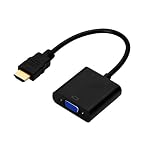
HDMI to VGA Converter,Werleo Active 1080P HDMI Male to VGA Female Video Converter Adapter Cable For PC Laptop Desktop Computer HDTV Monitors Projectors DVD and other HDMI imput Black (1 Year Warranty)
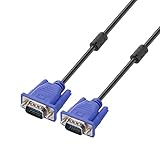
ENUODA Black Blue VGA 15 Pin Male to Male Plug Computer Monitor Cable Wire Cord 1.5M (4.9 Feet)
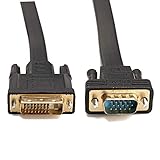
CableDeconn Active DVI-D Dual Link 24+1 Male to VGA Male Video with Flat Cable Adapter Converter 2M
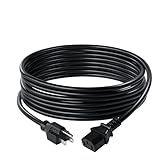
C2G/Cables to Go 03134 18 AWG Universal Power Cord (NEMA 5-15P to IEC320C13) TAA Compliant, Black (10 Feet, 3.04 Meters)

HDMI to VGA, Benfei Gold-Plated HDMI to VGA 6 Feet Cable (Male to Male) Computer, Desktop, Laptop, PC, Monitor, Projector, HDTV, Chromebook, Raspberry Pi, Roku, Xbox More - Black

HP Pavilion 21.5-Inch IPS LED HDMI VGA Monitor (22cwa)
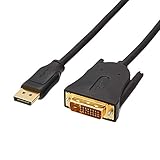
AmazonBasics DisplayPort to DVI Cable - 6 Feet

C2G 26911 DVI-D M/M Dual Link Digital Video Cable, Black (6.6 Feet, 2 Meters)