
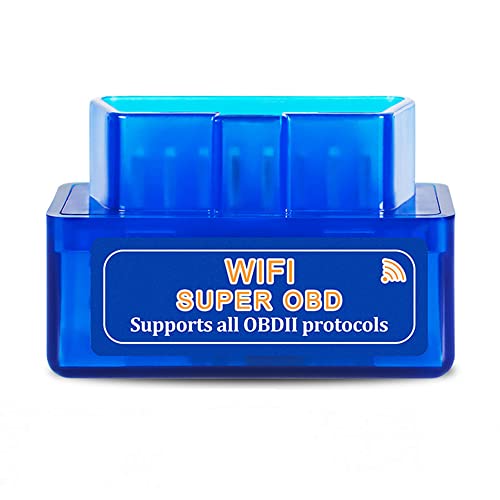
OBD2 Scanner WiFi for Android iOS(iPhone iPad), Launchh OBDII Auto Diagnostic Scan Tool, Car Diagnostic Scanner, Car Error Code Reader Elm327 OBD
Product Description
OBD2 Scanner WiFi for Android iOS(iPhone iPad), Launchh OBDII Auto Diagnostic Scan Tool, Car Diagnostic Scanner, Car Error Code Reader Elm327 OBD
- For the usage of IOS system, please refer to the detailed description section below, or you can contact us at any time to send the electronic manual file.WHAT YOU GET: 1 * WiFi OBD2 car scanner. Very easy to use. You can know more about your car with this little adapter.Please contact us if you have any questions
- Any question, please email us, we will reply within 24 hours. We provide 3 months quality guarantee, and we will give you a refund or send you a replacement if you are not satisfied with our product. (please click our store address " Apollo wang " on the product page and then click "Ask a question", then you can contact us by e-mail.)
- Compatible System: Support iOS (for iPhone, for iPad, iPod, etc.) & Android 4.0 (for Samsung, for Sony, fro HTC, for LG, etc.) & Windows, connect via WiFi. Compatible with OBD-II protocol cars produced after 1998. May not support Hybrid or electric vehicles. NOTE: 1. This product can NOT be used for diesel vehicles. 2. this is the WiFi model without Bluetooth.
- Compatible App: OBD Fusion, DashCommand, OBD Car Doctor (partial functions are free), etc. on Apple Store for iPhone & iPad; Torque Pro, Torque Lite (free), OBD Car Doctor (free), etc. on Google Play for Android cellphone and table. Or There are various Apps and installation instructions provided on the CD. But Partial Apps need to be charged. You can run the CD to select the appropriate App.
- How to use: Plug the device in your car's OBD2 port, turn on your car, enable WiFi on your phone or tablet, search for "WiFi_OBDII" and connect, run the download App with simple settings and wait until it connects your car's ECU successfully. If you use the same OBD on 2 or more cars, you need to disconnect WiFi and close App when finish testing one car, and re-match the WiFi when you insert the OBD adapter into another car.
Technical Specifications
You might also like

Steven Universe Star Cartoon Network Halloween Costume T-Shirt Red 2X
Steven Universe Star Cartoon Network Halloween Costume T-Shirt Red LG
Steven Universe Star Cartoon Network Halloween Costume T-Shirt Red SM
Steven Universe Star Cartoon Network Halloween Costume T-Shirt Red XL
Steven Universe Star Cartoon Network Halloween Costume T-Shirt Red MD

Houston Be Someone Bridge Houston Skyline H-Town Be Someone T-Shirt, Women, Olive Green, X-Small

Houston Be Someone Bridge Houston Skyline H-Town Be Someone T-Shirt, Men, Sapphire Blue, Medium

Houston Be Someone Bridge Houston Skyline H-Town Be Someone T-Shirt, Men, Heather Grey, 3X-Large