

Generic Touch Screen LCD Display Digitizer Assembly Replacement for iPhone 6s 4.7'' (Black)
Product Description
Generic Touch Screen LCD Display Digitizer Assembly Replacement for iPhone 6s 4.7'' (Black)
- Compatible with: iPhone 6S 4.7 inch Black (AT&T/ Verizon/ Sprint).
- Complete screen replacement and repairing part (outer glass+ LCD display touch digitizer+flex cables+frame assembly+Ear Mesh) for iphone 6S 4.7inch .
- It is used to repair faulty screen, this will also cure: display problems, dead pixels, cracked screens, wrong color issues.
- The LCD is without home button,ear piece and front camera,just same as the pictures.
- 100% QC before shipment,any trouble,please contact us soon.
This complete touch screen digitizer + LCD combination for iphone 6s 4.7 inch. If you have a cracked glass, broken LCD, partial image or issues with your touch screen sensitivity then this iphone 6s 4.7 inch touch screen digitizer is exactly what you need. It is highly suggested that all items be tested before fully installing. Any item found to have been fully installed and broken during the installation process is not returnable or replaceable. Inspect the item closely before installing. We are recommend that if you have not repaired a wireless device in the past that you consult a professional before purchasing. Some items have adhesive on them and adhesive must be loosened to successfully remove broken glass. Trying to remove broken glass can cause damage or destroy an LCD. Instructions are not provided. Best place to find step by step videos is on youtube. Troubleshooting tips if you are experiencing any installation issues, please follow any of these steps: 1. Please check to make sure the flex cable is in good condition and there is no debris on the connector. 2. Disconnect and reconnect the cable from the motherboard side. 3. Then reboot: Hold buttons (home, up volume and power button) untill the phone switch down and then switch up again. 4. Make sure your os is upgraded to the latest version. 5. Leave the phone alone for a bit in a dry environment. Sometimes there is static after install that will go away after some time. Please leave phone alone overnight and see if this problem persists in the morning.
Technical Specifications
You might also like

ZTR OEM Black LCD Display Touch Digitizer Screen Assembly Replacement for iPhone 6s 4.7 inch with 3D touch

cellphoneage for iPhone 6S 4.7 Inch LCD Touch Screen Digitizer Assembly Replacement with Free Tools (White)

LCD Touch Screen Digitizer Frame Assembly Replacement Set for iPhone 6 - Black

New LCD Dispaly Touch Screen Digitizer Assembly Replacement For iPhone 6S 4.7 Inch (Black)

ZTR OEM Black LCD Display Touch Digitizer Screen Assembly Replacement for iPhone 6 Plus 5.5" Model A1522 / A1524
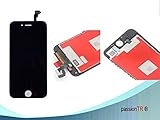
Passiontr Iphone 6s (4.7 Inch) Full Set Replacement Lcd Screen Digitizer - Black
ZTR OEM white LCD Display Touch Digitizer Screen Assembly Replacement for iPhone 6s 4.7 inch with 3D touch

PassionTR Retina LCD Touchscreen Digitizer Frame Assembly Full Set Replacement Screen for iPhone 6 PLUS(5.5 inch)with Instruction card and tools in White