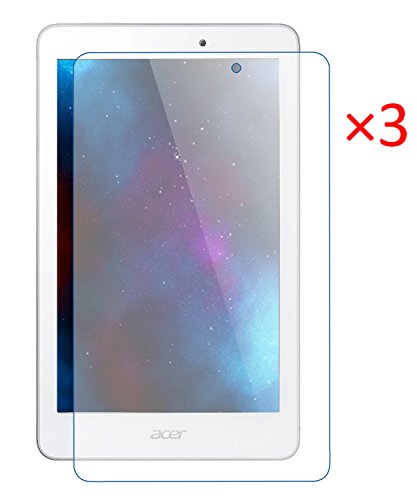
FanTEK-Acer-Iconia-Tab-8-A1840FHD-A1840-FHD-80Inch-Tablet-Screen-Protector--3-Pack-Matte-Finish-AntiGlare-Anti
Product Description
FanTEK-Acer-Iconia-Tab-8-A1840FHD-A1840-FHD-80Inch-Tablet-Screen-Protector--3-Pack-Matte-Finish-AntiGlare-Anti
- Designed specially for Acer Iconia Tab 8 A1-840FHD A1-840 FHD
- Touch screen accuracy, bubble-free, easy install, and perfect fit - guaranteed
- Protects your touch screen from most of dust and scratches
- Anti-Glare, Anti-Fingerprint, Anti-Gloss
- Package included: 3x Screen Protector, 1x Cleaning Cloth. Tablet and other accessories Not Included. More Accessories are available, please search FanTEK Acer Iconia Tab 8 A1-840FHD
Features:
* FanTEK is a Registered Trademark which was authorized by UNITED STATES PATENT AND TRADEMARK OFFICE
* After-sales service: We offer 30 Days Return without any reason, 90 Days Replacement if the product has any quality problems
* The screen protector come with high-quality adhesive coating for easy bubble-free placement and clean removal with no sticky residue.
* The screen protectors feel smooth and maintain the sensitivity, quick responsiveness in your touch-screen
Application Instructions:
* Step 1: Thoroughly clean the display with the cleaning cloth (provided). Use tape if necessary. Once your device is cleaned, do not touch the surface - no fingerprints please
* Step 2: Peel off the corner of the BACK outer layer (Tab 1).Do not touch the surface of the film directly. Work by gently holding the edges of the screen protector
* Step 3: Align the exposed corner edge with the corresponding edge of the device display. Slowly lay the screen protector from one end to the other
* Step 4: Slowly peel away the rest of the BACK outer layer (Tab 1) from underneath. Make sure the screen protector remains aligned with the display
* Step 5: As you peel away the BACK outer layer (Tab 1), run your fingers along the top of the FRONT outer layer (Tab 2)
* Step 6: Once applied, using thumbs or a card to work any bubbles out. Make them escape from the nearest place - the edge of the tablet or one of the precut holes
* Step 7: Use the cleaning cloth (provided) to wipe away any remaining fingerprints or smudges