

Eyetwins RSIM SIM Unlock Adapter Compatible with iPhone Xs X 8+ 8 7+ 7 6S+ 6S 6 5C 5S - Any GSM Carrier - AT&T, Sprint, T-Mobile, Metro PCS, Cricket, Virgin Mobile (Not Compatible w/Verizon/Xfinity)
Product Description
Eyetwins RSIM SIM Unlock Adapter Compatible with iPhone Xs X 8+ 8 7+ 7 6S+ 6S 6 5C 5S - Any GSM Carrier - AT&T, Sprint, T-Mobile, Metro PCS, Cricket, Virgin Mobile (Not Compatible w/Verizon/Xfinity)
- ***Visit Rsim.com for Latest ICCID code (It changes almost every single day!)***
- This Product ONLY supports GSM network (DOES NOT support CDMA, like Verizon)
- THIS WON'T REMOVE ICLOUD LOCK ON YOUR DEVICE, OR PASS THE ACTIVATION ON YOUR DEVICE IF LOCKED WITH ICLOUD. THIS WON'T WORK IF YOUR DEVICE IS BLACKLISTED BY THE CARRIER YOU MIGHT ONLY GET " NO SERVICE"
- Please do not take out your sim after you unlock your phone.
- This DOES NOT SUPPORT **Verizon Phones**
***Visit Rsim.com for Latest ICCID code (It changes almost every single day!)***
If you are getting this message "SIM Not Supported" when you put the Chip and Sim Card at first time? Or After IOS Updates?
Please do the following steps,
1. Insert your sim card with chip - > ( https://www.youtube.com/watch?v=gM8Q-Xnp_UE )
2. Enter to Emergency call - Long press to home button and release ( Side button for Iphone X )
3. Dial *5005*7672*0#
4. Choose "Edit ICCID input": and enter this 20 digit code - >
(https://www.youtube.com/watch?v=eIjquI6QQ8s )
**Visit Rsim.com for Latest Code**
5. Accept
6. "Restart" your phone and activate your phone with "WiFi"
7. It will work 100%
Note: Once your phone is unlocked, chip should remain in the phone all the time. Do not reset the phone or Factory reset your phone will also remove all saved chip settings. Do not upgrade IOS without confirming with us or do not change the sim. As long as Chip remains in the phone it will remain unlocked and your phone just functions like unlocked.
STILL NOT WORKING?? Message or email us with following details,
1. Order Number
2. The original carrier of your iPhone ?
3. The sim card which you tried to use ?
4. What message or window are you getting when you Dial *5005*7672*0#
(Make sure the chip and sim card are inside your phone)
For 'Metro PCS Sim card' on any iphone getting message "No service", You need to call customer care to activate phone IMEI on your account to get the service.
Technical Specifications
You might also like
TrustWorthyPurchase RSIM 12 Newest 2018 R-SIM Nano Unlock Card, R-SIM 12 Smart 4G Card Unlock Card Adapter Converter Kits with Tools for IPhoneX 8P 8 7P 7 6SP 6P 6S 6 5C 5S 5
【SLICK2BUY】PREMIUM UNLOCK CHIP, Compatible with iPhone XS X 8+ 8 7+ 7 6S+ 6S 6 5C 5S, SPRINT, VERIZON, ATT, TMOBILE, METRO PCS, XFINITY, ANY GSM SIM CARD, ANY COUNTRY

Ailun Screen Protector Compatible with iPhone 8 Plus 7 Plus,[5.5inch][3Pack],2.5D Edge Tempered Glass Compatible with iPhone 8 Plus,7 Plus,Anti-Scratch,Case Friendly,Siania Retail Package

Aibocn Power Bank 10,000mAh External Battery Charger with Flashlight for Phone iPad Samsung Galaxy Smartphones Tablet - Upgraded
IA SIM Unlock Adapter compatible with iPhone XS X 8+ 8 7+ 7 6S+ 6S 6 5C 5S - Any GSM Carrier - AT&T, Verizon, Sprint, T-Mobile, XFINITY , METRO PCS, Cricket, Virgin Mobile
RESIM ICHIP+ UNLOCK SIM Compatible with iPhone 5S SE 6 6S 7 7+ 8 8+ X XS , SPRINT , VERIZON, XFINITY , ATT , TMOBILE , METRO PCS , UNLOCK TO ANY GSM NETWORKS

AmazingPlusDeal RSIM 12 5PACK Newest 2018 R-SIM Nano Unlock Card RSIM12, R-SIM 12 Smart 4G Card Unlock Card Adapter Converter Kits with Tools For IPhoneX 8P 8 7P 7 6SP 6P 6S 6 5C 5S 5
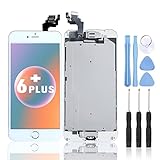
For iPhone 6 Plus Digitizer Screen Replacement White - Ayake 5.5'' Full LCD Display Assembly with Home Button, Front Facing Camera, Earpiece Speaker Pre Assembled and Repair Tool Kits